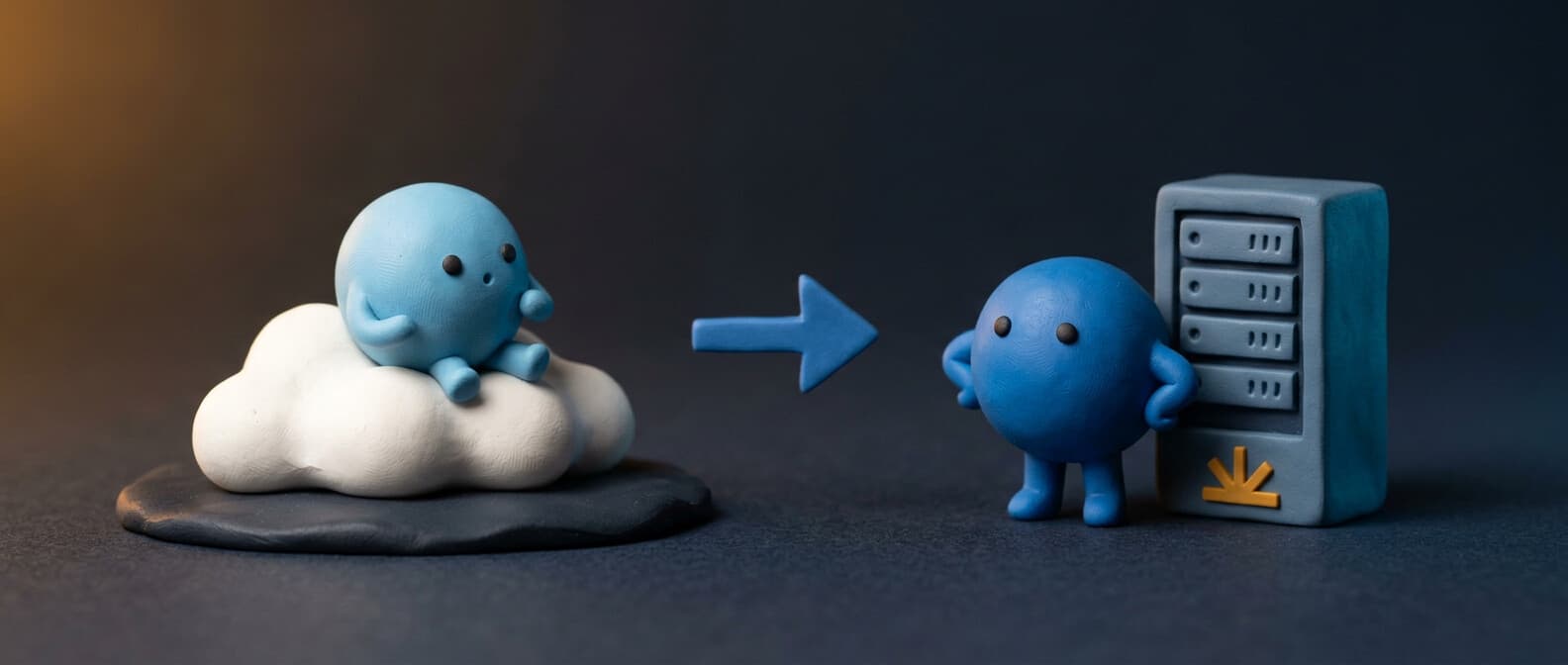
- 55% of enterprise AI inference now runs on-premises, up from 12% in 2023 — data sovereignty, not cost savings, is the primary driver
- A single docker-compose.yml with Ollama and Open WebUI gives you a ChatGPT-equivalent interface with zero data leaving your network — running in under 10 minutes
- A Mac Mini M4 with 24GB unified memory ($599-799) is the community sweet spot: runs 7-13B models at interactive speeds and handles most real-world use cases
- Because Ollama exposes an OpenAI-compatible API, switching any existing tool from cloud to local is a single environment variable change — no code rewrites
- Self-hosting breaks even against cloud API costs in 3-6 months for a small team — after that, the ongoing cost is electricity
- RAG on a self-hosted stack means asking questions about your private docs, internal wikis, and company data without any of it touching a third-party server
Self-hosted ai means running large language models on hardware you control instead of sending every prompt to OpenAI, Anthropic, or Google. Your data stays on your machine. No api calls leaving your network. No court orders forcing a provider to retain your conversation logs indefinitely — which is exactly what happened to OpenAI ChatGPT users in 2025.
The case for self-hosting ai models has shifted from "hobby project" to "business requirement." 55% of enterprise AI inference now runs on-premises, up from 12% in 2023. Data sovereignty — not cost — is the primary driver. Healthcare, legal, financial services, and government organizations can't send sensitive data to third-party apis regardless of the pricing or functionality those services offer.
Here's how to set up a complete self-hosted ai stack with open-source tools on hardware you already own.
The core stack: Ollama + Open WebUI
The most popular self-hosted ai setup uses two open-source projects:
Ollama — a cli tool that downloads, manages, and runs local llms. One command to install a model, one command to run it. It exposes a local api on port 11434 that's compatible with the OpenAI api format, so any tool that works with ChatGPT can work with Ollama.
Open WebUI — a self-hosted ai platform that gives you a ChatGPT-style chat interface connected to your local ai models. It supports Ollama and any OpenAI-compatible api, has built-in RAG (retrieval-augmented generation) for searching your docs, and works entirely offline.
Together they give you: a local model runner, a web interface, and an api endpoint — all running on your hardware with zero external dependency.
Docker setup — the starter kit
The fastest way to get everything running is docker. Create a docker-compose.yml:
services:
  ollama:
    image: ollama/ollama
    container_name: ollama
    restart: unless-stopped
    ports:
      - "11434:11434"
    volumes:
      - ollama_data:/root/.ollama
    environment:
      - OLLAMA_LLM_MAX_MEMORY=6000MB
      - OLLAMA_NUM_THREADS=6
      - OLLAMA_KEEP_ALIVE=5m

  open-webui:
    image: ghcr.io/open-webui/open-webui:main
    container_name: open-webui
    restart: unless-stopped
    ports:
      - "8080:8080"
    volumes:
      - open_webui_data:/app/backend/data
    environment:
      - OLLAMA_BASE_URL=http://ollama:11434
      - WEBUI_SECRET_KEY=your-secret-key
    depends_on:
      - ollama

volumes:
  ollama_data:
  open_webui_data:
Run it:
docker-compose up -d
Then pull a model inside the ollama container:
docker exec -it ollama bash
ollama pull llama3.2:3b
Open http://localhost:8080 and you have a fully functional chatbot running on your own machine. No account needed. No api key. No data leaving your network. This is the complete tutorial for a basic self-hosted ai setup.
Each environment variable in the compose file controls resource allocation. OLLAMA_LLM_MAX_MEMORY caps RAM usage. OLLAMA_NUM_THREADS sets cpu thread limits. OLLAMA_KEEP_ALIVE controls how long a model stays loaded after the last request. Tune these based on your hardware.
Choosing the right model
Not all local llms are equal. The model you choose depends on your hardware and use cases:
For general chat and writing — Llama 3.2 (3B or 8B parameters) from Meta is the default recommendation. Good at conversation, summarization, and general knowledge. The 3B version runs comfortably on 8GB RAM.
For code — Qwen 2.5 Coder or DeepSeek Coder. Both are specifically fine-tuned for programming tasks and outperform general models on code completion and debugging.
For small hardware — Gemma 3 (2B) from Google or Phi-3 Mini from Microsoft. These fit in under 4GB of RAM and still produce usable output for simple tasks.
For maximum capability — Mistral Large or Llama 3.1 70B. These need serious gpu power (24GB+ VRAM) but approach the quality of cloud models like gpt-4.
Ollama handles model management through its cli. ollama list shows installed models, ollama pull downloads new ones, and ollama run starts an interactive session. Models come pre-quantized — compressed to use less memory with minimal quality loss. You can find the full catalog in Ollama's model library.
For heavier workloads, vLLM is the production-grade inference engine. It handles batching, continuous batching, and gpu optimization for serving models at scale — think multiple users hitting the same self-hosted ai endpoint simultaneously.
Hardware requirements
The hardware question comes down to: cpu or gpu?
CPU-only — works for small models (up to ~7B parameters). Expect 5-15 tokens per second on a modern cpu. Fine for personal use, a chatbot for your team, or a coding assistant where you don't mind waiting a few seconds. An Apple Silicon Mac (M1/M2/M4) with 16GB unified memory handles 7B models well because the gpu and cpu share the same memory pool.
GPU — required for larger models and acceptable speed. An nvidia RTX 4090 (24GB VRAM) can run 70B parameter models. For enterprise workloads, nvidia A100s or H100s are standard. On the amd side, the Radeon PRO W7900 works but has less software ecosystem support.
The sweet spot — a Mac Mini M4 with 24GB unified memory ($599-799) or a desktop with an nvidia RTX 4070 Ti (12GB VRAM). Either runs 7-13B models at interactive speeds, which covers most real-time use cases.
For self-hosting ai models at the node level — a dedicated machine serving your whole team — plan for at least 32GB RAM and a discrete gpu. Docker makes it easy to move the stack between machines if you need to upgrade later.
Want to go deeper on self-hosted AI?
We cover the full local stack every week — agent frameworks, security research on self-hosted deployments, and workflow automation patterns that keep sensitive data on your own hardware.
Completely free, unsubscribe anytime.
AI agent integration
Self-hosted ai gets interesting when you connect local llms to ai agent frameworks. Instead of just a chatbot, you get an ai agent that can take actions — search your docs, write code, automate workflow tasks, and interact with external tools.
OpenClaw, for example, can route heartbeat tasks and low-complexity operations to a local Ollama instance while sending complex reasoning tasks to cloud models like Anthropic Claude or OpenAI's gpt-4. This hybrid approach keeps costs down while maintaining ai capabilities for demanding tasks.
The api compatibility is what makes this work. Because Ollama exposes an OpenAI-compatible endpoint, any tool designed for the OpenAI api works with your local models by changing a single environment variable — the base URL. Point it at http://localhost:11434 instead of https://api.openai.com and your automation, bot, or ai solutions stack runs locally.
Vector databases and RAG
Open WebUI includes built-in RAG functionality, but for serious document search you'll want a dedicated vector database. The popular self-hosted options:
- ChromaDB — simplest to set up, runs embedded in Python
- Qdrant — production-ready, has a docker image, handles millions of vectors
- Milvus — enterprise-grade, supports GPU-accelerated search
The workflow: embed your docs (PDFs, wikis, templates, internal knowledge bases) into vectors, store them in the database, and configure your local ai to search them when answering questions. This gives your self-hosted chatbot real context about your organization — not just general knowledge from training data.
Combined with a local model, RAG means you can ask questions about your private datasets, company docs, and internal tools without any data leaving your network.
Image generation
Self-hosted ai isn't limited to text. You can run image generation locally with Stable Diffusion through tools like ComfyUI or Automatic1111. These require a gpu with at least 8GB VRAM — an nvidia RTX 3060 or higher.
For organizations that need image generation without sending proprietary content to cloud services, self-hosting is the only option that fully addresses data privacy concerns.
Pricing: self-hosted vs. cloud
The economics of self-hosting ai models depend entirely on usage volume:
| Cloud (ChatGPT/Claude) | Self-Hosted | |
|---|---|---|
| Low usage (personal) | $0-20/month | $0 + hardware you own |
| Medium usage (small team) | $100-500/month | $0 + $600-800 hardware |
| High usage (enterprise) | $2,000-10,000+/month | $0 + $2,000-5,000 hardware |
The break-even point for a small team is typically 3-6 months. After that, self-hosting is essentially free — you've already paid for the hardware, and open-source models have no per-token pricing. The ongoing cost is electricity and the optimization time you spend tuning your setup.
Cloud services still win for: access to the latest models (Gemini, Claude, GPT-5), zero setup time, and tasks that need frontier-level reasoning. The practical answer for most teams is hybrid — self-host for privacy-sensitive and high-volume tasks, use cloud for everything else.
Getting started today
The simplest path from zero to a working self-hosted ai stack:
- Install Docker on your machine
- Copy the
docker-compose.ymlabove - Run
docker-compose up -d - Pull a model:
docker exec -it ollama ollama pull llama3.2:3b - Open
http://localhost:8080 - Start chatting
That's a complete, private, self-hosted ai setup running on your own hardware. The model runs locally, the interface runs locally, and every conversation stays on your machine. Check the Open WebUI docs for configuration beyond the defaults, and explore Hugging Face for thousands of additional open-source models to try.
From there, the path to a full local ai stack is incremental: add vector databases for document search, connect to ai agent frameworks for automation, and start fine-tuning models on your own data when the generic versions aren't specific enough for your domain. Self-hosting llms is no longer a niche hobby — it's becoming the default for anyone who takes data privacy seriously.
The tools are mature, the models are capable, and the community building around self-hosting ai models grows every month. The question isn't whether self-hosted ai is viable — it's why you'd send private data to a cloud provider when you don't have to.
Sources
Stay ahead of the self-hosted AI curve
The Spark newsletter is for developers and teams who want practical guidance on running AI infrastructure they actually control — local models, agent frameworks, and everything in between.
- Self-hosted AI setup guides like this one — Docker configs, hardware recommendations, and production patterns
- AI agent frameworks and orchestration for connecting your local stack to real automation workflows
- Security research on self-hosted AI deployments — what researchers are finding and how to harden your setup
Completely free, unsubscribe anytime.